The work happens where the signal doesn’t.#
I work at Ripple Africa as part of the team developing CCM, our cookstove inspection app. We built it to support our field teams visiting households across Malawi, often without a reliable signal. Regular visits with the colleagues and volunteers using the app help us understand their day-to-day work and guide its ongoing development.
This article follows one week of those visits after version 3.1.1. We reviewed the latest changes with the teams and identified issues that informed version 3.1.2, from slow startup on some phones to colours that failed to update offline.
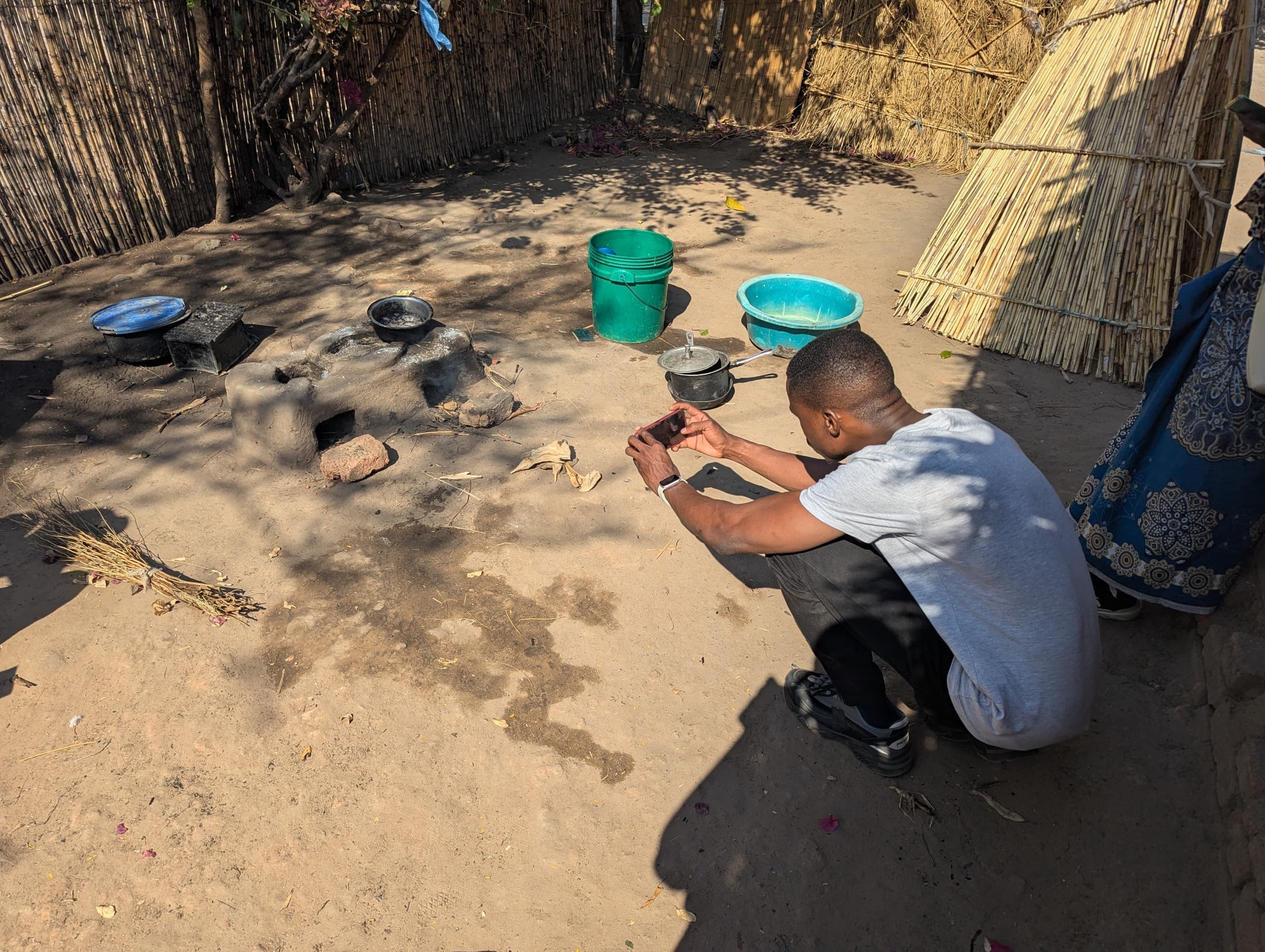
Ripple Africa’s Changu Changu Moto programme helps families build clay cookstoves that burn less wood. Counting the stoves built is the easy part. What matters is whether a family is still using theirs months later, and the only way to know is to go back. [1] Volunteers and coordinators revisit households, photograph the stove and record how it is being used.
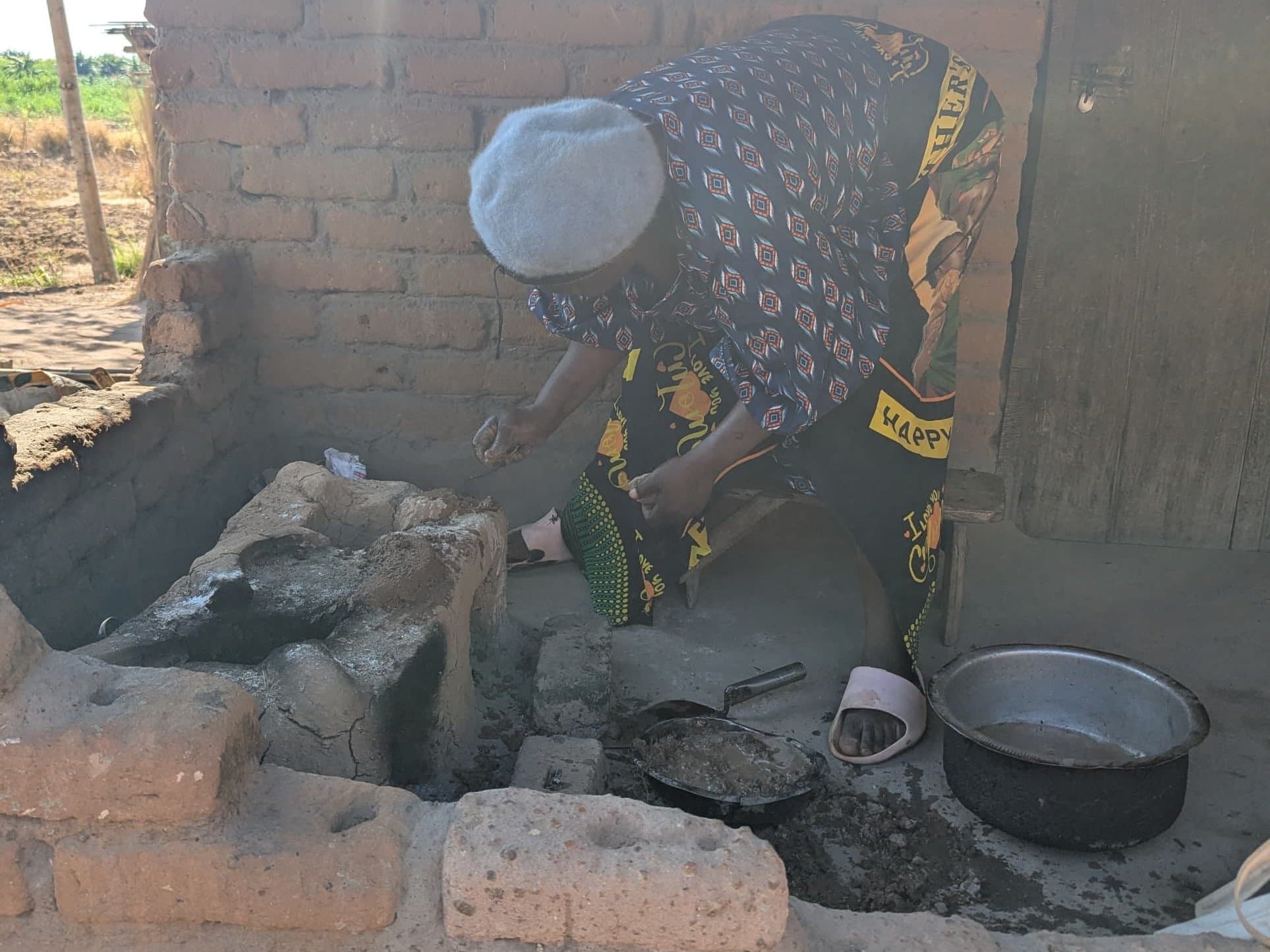
CCM is short for Changu Changu Moto. Our development team at Ripple Africa built the phone app and reporting dashboard to support those visits. The app uses colours to show how long it has been since a household was checked, helping teams plan where to go next. The colours describe the time since a visit, not whether a stove works.
Reading the household colours
- GreenChecked within the last 3 months
- Yellow3–6 months since the last check
- Red6–12 months since the last check
- PurpleMore than 12 months since the last check
Save now. Send when there’s a signal.#
We designed the app around one rule: saving an observation and sending it are two different jobs, and saving must never wait for sending.
Each phone keeps the information its user needs. Volunteers can open household records, save an inspection and take photos without an internet connection. When a connection returns, the app exchanges saved changes with the programme’s central system. That exchange is called syncing. Once the central system accepts an inspection, it can appear in reports. Its photos may arrive separately. [2]
One visit, saved first and delivered later
- Without a signalSave on the phone
The inspection and photos stay on the phone, waiting to be sent.
- When connectedSend the inspection
Once the central system accepts it, the inspection is available for reports.
- Photos travel separatelyConfirm the photos arrived
Photos upload after their inspection exists centrally. They may still be waiting when the record has arrived.
If a photo upload fails, the app waits before trying again. Restarting the app preserves that schedule. Repeating an upload should not create another copy of the same inspection or photo.
What this round of testing covered.#
Alongside our regular field visits, we use focused tests to check specific app behaviour. For the offline changes discussed here, one test used an emulator: a simulated phone running on a computer. With Wi-Fi and mobile data switched off, we saved an inspection and two photos, stopped the app, cleared its temporary cache and opened it again. The inspection was still waiting to be sent, and both photos were intact. When we reconnected, the inspection and photos arrived. [4]
That test checked whether saved work survived an offline restart and could be delivered afterwards. Our regular field reviews help us assess how changes work in everyday use, including startup on the phones the teams carry.
A week with the people using it.#
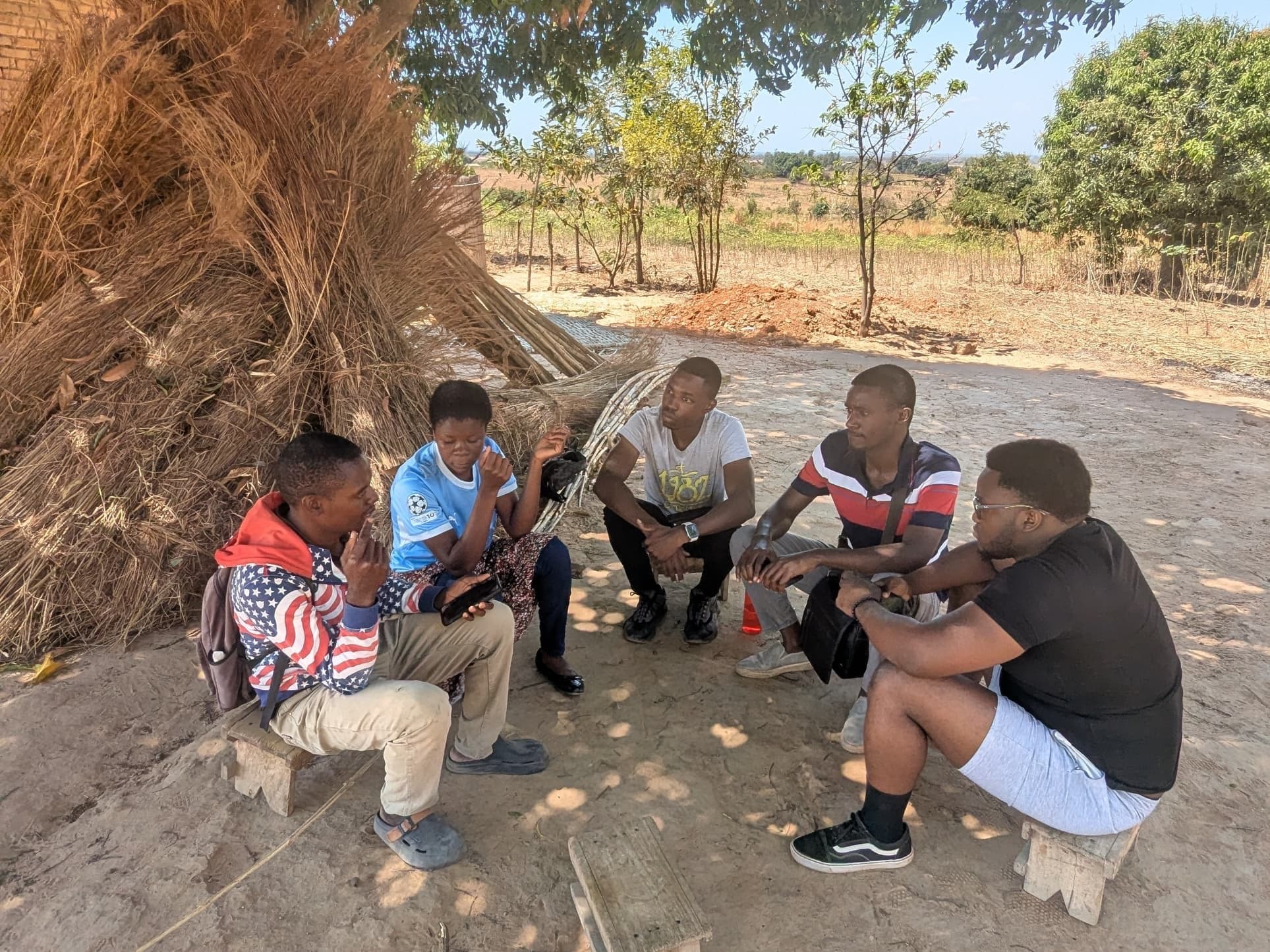
During a week of our regular field visits after version 3.1.1 reached users, we reviewed the release with our Ripple Africa colleagues and volunteers: Coordinators, Lead Community Volunteers and Area Managers. Their feedback on that version informed most of the changes in 3.1.2. [7]
Version 3.1.2 had also reached field users by this article’s publication on 27 September 2026. Below, “the update” means 3.1.2. The tests described here do not measure the update’s performance on field phones.
Opening the app took up to ten minutes.
What people experienced. Offline, users waited on “Securing local account data” each time they reopened the app.
Why it happened. Before showing their work, the app also organised old photos, cleared leftover camera files and prepared uploads. On low-end phones, those jobs slowed each other down.
What changed. The update first checks that the saved work belongs to the signed-in person, then opens it. The remaining jobs run behind the open screen.
Version 3.1.1
- Check whose work is on the phone
- Organise files and prepare uploads
- Open the saved work
Version 3.1.2
- Check whose work is on the phone
- Open the saved work
- Continue the other jobs behind the screen
The phone couldn’t find its location offline.
What people experienced. Location attempts kept failing without a connection.
Why it happened. The app tried a location service that needed internet first, then gave the satellite receiver too little time. Tapping Retry made the receiver start over. The app could also mistake an old saved location for a current one.
What changed. The update lets the receiver keep working while the screen is open and gives it more time. It also checks the age of a location before showing it as current.
A household stayed yellow after a new inspection.
What people experienced. A volunteer recorded a visit, but the household still appeared yellow—as though it hadn’t been checked recently.
Why it happened. The phone was waiting for the central system to update the household’s status. Without internet, that update could not come back.
What changed. The phone now updates the colour when the inspection is saved, even offline. It reconciles that information with the central system when it reconnects.
The day’s totals were hard to trust.
What people experienced. Counts rose during the day and fell after syncing. Sometimes the daily figures seemed to reset in the middle of the morning.
Why it happened. A history count was being read as a daily tally, and older visits disappeared from that count after syncing. Separately, the reporting day used a time zone two hours behind Malawi and did not refresh automatically at midnight.
What changed. A separate Today card shows the day’s work. The household inspection count uses only the latest visit for each household. The reporting day ends at midnight Malawi time, and the screen refreshes at midnight and when someone returns to the app.
Teams needed to plan next month’s visits.
What people experienced. Today’s colours did not tell teams which households would need attention during the month they were planning.
Why it happened. The display showed the current status without making upcoming changes clear.
What changed. The update highlights households approaching a colour change. A marker distinguishes an upcoming change from one that has already happened; tapping it explains the date in words. Summary totals still use each household’s actual status today.
Unsent work needed protection when accounts changed.
The risk. Work saved on a phone still needs to reach the central system, even if a session expires or someone else uses the phone.
Why it mattered. Saving locally and confirming delivery happen at different times. Changing accounts must not discard the work waiting between them.
What changed. The update blocks sign-out while work is unsent. If another account becomes active on the phone, the previous person’s unsent work is held until they sign back in. Emulator tests covered these safeguards, including expired sessions and withdrawn access; they are separate evidence from the field observations above. [4]
What we learned.#
Keep testing and field feedback connected as the app changes. For this release, an emulator test confirmed that saved work survived offline, while the field review identified long startup waits on some phones. Both inform the next update. Include the cheapest phone in the programme, without internet, starting with the app fully closed.
Let people see the result of their work immediately. Saving an inspection offline should update the household’s colour on that phone, too.
Help people plan ahead. Teams need to see upcoming visits as well as today’s status.
Confirm delivery before letting go of saved work. An item disappearing from a list of pending uploads is not enough to prove it arrived.
Check the whole system when releasing a change. Updating the phone app may also require changes to the services that exchange its data.
We have not measured time saved or improvements in stove use. The lesson from this work is more immediate: an app needs to keep what people record, open when they need it and show information they can use to plan the next visit.
Engineering details, if you want to go deeper.#
The main story ends above. These optional notes explain the storage, delivery and testing decisions behind it.
Read the implementation and test details
Keeping a working copy on each phone.
CCM replaced an earlier FlutterFlow app. Developing it within Ripple Africa gave our team control over how a record travels from a phone to the server. The phone app uses Expo and React Native, with a local SQLite database managed by PowerSync. A Supabase PostgreSQL database holds the central records, and a Next.js dashboard reads them for reporting. [2]
Three distinct paths
- On the phone: screens read the local SQLite database, managed by PowerSync.
- Record downloads: PostgreSQL → PowerSync → the phone’s local database.
- Record uploads: pending changes → application connector → Supabase API and database functions.
- Photo uploads: saved files wait for their record, request an upload link, then go to Dropbox.
- Reporting: the dashboard reads the central PostgreSQL records.
- Record downloads
- Record uploads
- Photo delivery (link, then bytes)
- Reads
In early September, startup changed to use the stored identity, confirm ownership of the local database and open cached work without waiting for a token refresh. [3] The update also moves image migration, file cleanup and upload-worker startup behind the open screen, with a time budget that reports stages that overrun.
Downloading only the relevant records.
A volunteer needs households in their area; a project manager needs the whole programme. PowerSync streams scope downloads by role. Volunteers receive their area’s households and only the latest inspection for each.
Survey downloads initially used individual assignments, reaching PowerSync’s limit of 1,000 parameter results as assignments grew. The redesign adds area and round to each answer so it can travel on the existing area stream. The app and its sync rules deploy separately, so both must support the change.
Choosing the latest inspection consistently.
Version 3.1.1 removed a competing latest-visit date stored on each household. Inspection records became the source of truth, with one marked is_latest, ordered by inspection date, creation time and ID. All colours, counts and verification on the phone read that mark.
Initially, only the server set it. The update sets it locally in the same transaction as an offline inspection, using the server’s ordering. The phone does not upload the flag; the server remains authoritative when syncing.
Reading from inspections initially made the district dashboard query about three times slower. Classifying each household once and extending the inspection index to include date and stove-use fields avoided repeated lookups and opening each inspection’s JSON. The measured database queries improved overall in emulator tests; this does not establish faster screens on field phones. [6]
Median SQL execution time · 39,031 synthetic households
- Colour calculations
- 128.5 → 50.2 ms
- Grouped staff totals
- 318.4 → 101.7 ms
- Verification summary
- 21.4 → 22.8 ms
- Before optimisation
- After optimisation
Delivering records and photos separately.
An inspection is saved in a SQLite transaction. Photos are copied to the app’s own storage and queued separately. PowerSync passes pending record changes to our connector, which sends them to Supabase. Network and server failures stay queued; data and permission failures go to a recovery table so they can be fixed and resent.
A photo worker waits for the owning inspection to exist on the server, requests an upload link and sends the file to Dropbox. A stored photo path is not proof of delivery. Once a record is accepted, dashboard queries can report it and eligible phones can download it, independently of photo delivery.
Ordinary record uploads use upserts: insert a new record or update the existing one. A completed survey uses a server function that accepts an identical resend and rejects a changed one. Fixed photo paths mean a retry overwrites the same file instead of creating a duplicate.
Delay before the next photo upload attempt
After successive failures, the nominal wait is:
- 30 seconds
- 1 minute
- 2 minutes
- 4 minutes
- 8 minutes
- 16 minutes
- 30 minutes, capped
Each delay varies by up to 20%, with an absolute maximum of 30 minutes.
image-upload-retry.ts: 30 s × 2n−1, ±20% jitter, never more than 30 minutes. Dots mark the nominal delay; shaded bars show the jitter range. The next-attempt time is stored on the queue row, so restarting the app does not reset it.An update that matches no server record is treated as a recoverable failure. The account safeguards preserve unsent work through account changes; tests used isolated builds and test data, not field phones.
Location and calendar details.
Version 3.1.1 spent seven seconds trying network-assisted location before relying on satellites. Its 18-second timeout and repeated receiver shutdowns prevented longer attempts. The update keeps one receiver active while the screen is open, uses a 90-second timeout and rejects positions older than 30 seconds as current.
The daily count previously used UTC, making its day run from 02:00 to 02:00 Malawi time. Because it only recalculated on activity, an overnight screen could keep yesterday’s count until someone used it around 09:00 or 10:00. The update uses Malawi midnight and refreshes on midnight and return to the foreground.
For monthly planning, households inspected in June are flagged throughout September. A household inspected on 2 June becomes yellow on 3 September, while one inspected on 30 June stays green until 1 October. The upcoming-change marker disappears once the change occurs; tapping it shows the date and time remaining. Summary counts retain the current status.
The Ripple Africa team behind CCM
CCM is developed within Ripple Africa. As part of that team, Timothy Miamba built the dashboard and developed the application with Chiyembekezo Chilembwe. Ripple Africa’s data systems manager, Innocent Phiri, contributed features, principally field-team registration forms, and the initial application sync rules. Timothy and Chiyembekezo carried out the majority of application development. Recent work has been led primarily by Timothy since Chiyembekezo moved to work on another app. The 3.1.2 changes came from the Coordinators, Lead Community Volunteers and Area Managers who told us how 3.1.1 was working for them.
How I checked this.
Everything here comes from the code, our recorded tests, read-only checks against production and the field review. Nothing in production was changed to write it: no deployment, sync configuration, programme record or user account. No dialogue or household story has been invented, and no emulator scene stands in for field use.
- The programme. Ripple Africa’s overview of the Changu Changu Moto cookstove programme.
- Implementation. The CCM repository: 3.1.1 as released, and the 3.1.2 changes.
- Offline startup. The 8 September release-readiness report, and the recorded build provenance for the 3.1.1 APK.
- Emulator tests. Photo upload and offline restart, 7–8 September. Survey submission, 12 September: records arrived, but the photo stayed pending because the test environment’s Dropbox was unavailable. Account changes, 22 September. Offline inspection totals, 22 September, 32 checks across two cold starts. All used isolated test builds and test data, not field phones.
- Production snapshot. Record counts and the live PowerSync sync rules, read on 15 September.
- Latest-inspection study. The raw benchmark results, checked against the artifact. The benchmark was not rerun for this article.
- Field review. Findings from Coordinators, Lead Community Volunteers and Area Managers during the week after 3.1.1 went out, recorded as the release checklist for 3.1.2 on 19 September.
This article doesn’t measure real-world connectivity, first-download times, performance on physical handsets, time from capture to dashboard, or improvement over the old system.